
I have seen productive welding operations lose hours because a machine, torch, grinder, or inspection instrument was not where the records said it should be. Paper checkout sheets become outdated, spreadsheets depend on manual updates, and verbal handovers are easily forgotten.
QR code equipment tracking for welders provides a practical solution by connecting every tagged asset to a digital record that employees can access with a smartphone. It can improve equipment visibility, simplify maintenance, and create stronger accountability without requiring expensive scanning hardware.
What Is QR Code Equipment Tracking?
QR equipment tracking assigns a unique scannable code to each machine, tool, or accessory. When a worker scans the label, the code opens a digital asset record containing information such as the equipment name, serial number, condition, assigned operator, storage location, maintenance schedule, and movement history.
A worker can scan an asset when taking it from storage, transferring it to another project, reporting damage, or returning it after use. Each scan creates a time-stamped update that supervisors, maintenance employees, and equipment managers can review.
The code does not continuously transmit a machine’s location. Instead, it records the location and status entered during the latest scan. This distinction is important because QR tracking depends on consistent participation from the people using the equipment.
Why Welding Businesses Need Better Asset Visibility
Welding equipment frequently moves between fabrication areas, storage facilities, work vehicles, maintenance departments, and temporary project locations. When these movements are not documented correctly, employees may waste time searching for tools or contacting several teams to determine who used an asset last.
Poor visibility can also lead to unnecessary purchases. A business may order another wire feeder, grinder, or remote control because the existing item appears to be missing when it has simply been transferred without documentation.
Maintenance becomes harder when information is stored in separate files. A welding power source may operate beyond its recommended service interval, while a damaged lead or regulator may return to circulation without inspection. Linking each asset to one accessible record helps teams identify these issues earlier.
Which Welding Assets Should Be Tagged?
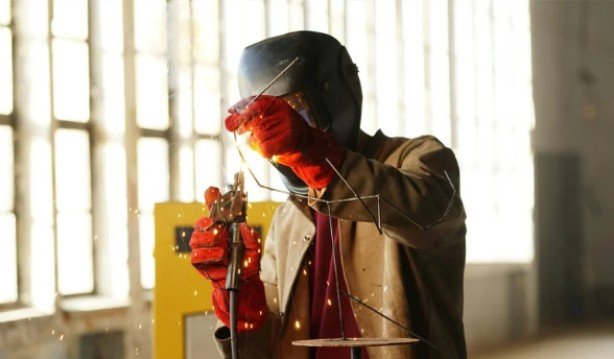
Businesses should prioritize equipment that is valuable, mobile, frequently shared, or dependent on scheduled maintenance. Welding power sources, engine-driven welders, wire feeders, plasma cutters, fume extractors, electrode ovens, torches, welding guns, remote controls, grinders, leads, gas regulators, flowmeters, cylinder carts, portable ventilation units, and equipment used for oxy fuel welding and cutting are strong candidates.
Inspection and testing instruments also benefit from individual tags. A scan can show whether a weld gauge, electrical meter, temperature instrument, or gas-flow device is still within its calibration period.
Consumables require a different tracking approach. Instead of labeling every contact tip or electrode, QR codes can be attached to storage bins, issue cabinets, filler-metal packages, or controlled inventory locations. Workers can then record quantities removed and alert purchasing teams when stock reaches a specified level.
What Should the Digital Equipment Record Contain?
Every record should begin with reliable identification details, including an asset number, manufacturer, model, serial number, purchase date, home location, and current operating status. It should also identify the person, vehicle, project, or work area currently responsible for the asset.
Maintenance information can include inspection dates, repair notes, photographs, warranty details, operating manuals, preventive maintenance schedules, and open work orders. If a worker notices an unstable welding output, damaged connection, or unusual noise, the problem can be recorded immediately through the asset page.
Dynamic QR codes are often preferable to static ones because the destination can be updated without replacing the physical label. The equipment record can continue changing throughout the asset’s working life while the original code remains attached.
How the Scanning Process Works

The daily process should remain simple. Before equipment leaves storage, the responsible person scans its label, selects the intended project or location, and confirms the checkout. If the equipment moves to another crew, another scan records the transfer. When the asset returns, the receiving employee scans it and confirms its condition.
A scan using mobile technology for field welding inspections can also open an inspection checklist or maintenance request. Employees can record a fault, upload a photograph, and mark the equipment as unavailable so it is not issued again before being examined.
Offline functionality is particularly useful in remote locations and enclosed structures where internet access may be unreliable. Compatible systems can store scan information on the mobile device and synchronize it when a connection becomes available.
Benefits for Welders and Equipment Managers
One major benefit is a clearer chain of responsibility. Managers can identify the last recorded user and location without searching through handwritten forms or contacting multiple teams. Welders can check availability before travelling to a storage area or waiting for equipment that is assigned elsewhere.
Digital service histories also support preventive maintenance. Automated reminders can notify the appropriate person when an inspection, calibration, or repair is due. Repeated faults become easier to identify, helping managers decide whether an asset should be repaired, reassigned, or replaced.
Utilization data can improve purchasing decisions. Managers can determine which machines are used consistently and which remain idle. This insight may reveal that equipment can be redistributed instead of purchasing additional units.
Choosing QR Labels for Welding Conditions
Ordinary paper labels are unlikely to survive welding environments. Codes may be exposed to dust, oil, moisture, sunlight, cleaning products, abrasion, and rough handling. Laminated vinyl, industrial polyester, or mechanically attached metal tags generally offer greater durability.
Labels should be easy to see and scan but protected from direct spatter and repeated contact. They should not cover safety warnings, vents, electrical terminals, controls, service panels, or hot surfaces. The application area must be cleaned before installation because oil, loose paint, and dust can weaken the adhesive.
QR codes may remain readable when slightly scratched because they contain error-correction features. However, damaged labels should still be replaced during routine asset audits before scanning becomes unreliable.
QR Codes Compared Wih RFID and GPS

QR codes are affordable and work with devices most employees already carry. Their main limitation is that every movement requires a manual scan. They provide a last-recorded location rather than continuous tracking.
RFID can detect multiple tagged items without individually scanning them, making it suitable for busy tool rooms and automated warehouse entrances. However, RFID requires compatible readers and may involve additional complications when tags are mounted on metal.
GPS provides real-time location information and can be valuable for trailers, generators, vehicles, and expensive engine-driven welding equipment. Its hardware, connectivity, battery, and subscription costs make it less practical for smaller tools. A combined approach may therefore use QR codes for general equipment and GPS for selected high-value mobile assets.
How to Introduce the System Successfully
Implementation should begin with a physical inventory. Every asset needs an accurate serial number, identification code, condition, and home location. The selected software should support mobile scanning, simple check-in and checkout, maintenance records, user permissions, offline operation, and exportable reports.
A pilot program can begin with one crew, vehicle, or equipment category. This allows managers to identify unnecessary form fields and unclear responsibilities before expanding the system.
Training should explain exactly when scans are required and who is responsible for completing them. A short practical demonstration is usually more effective than written instructions alone. The most reliable workflows require scans when an asset leaves storage, changes location, and returns.
Frequently Asked Questions
1. Does QR code equipment tracking provide a live location?
No. QR code equipment tracking for welders generally displays the location recorded during the latest scan. GPS or another active technology is needed for continuous location monitoring.
2. Can QR codes store maintenance and calibration information?
The code can open a digital record containing maintenance history, inspection forms, repair photographs, calibration dates, manuals, warranties, and future service requirements.
3. Can QR tracking prevent equipment theft?
It can strengthen accountability and reveal who last used an asset, but it cannot physically prevent theft or locate an item that was removed without being scanned.
4. Does digital tracking automatically ensure compliance?
No. It can make documentation easier to access and audit, but businesses still need accurate records, approved procedures, qualified personnel, and properly completed inspections.
Final Thoughts
I believe the greatest value of this system is its ability to make equipment control part of the normal working routine. A quick scan can replace handwritten entries, reveal overdue servicing, and prevent employees from wasting time searching for missing assets.
Successful QR code equipment tracking for welders depends on more than attaching labels to machines. The business needs durable tags, accurate records, clear scanning responsibilities, and a process simple enough for employees to follow consistently. When these elements work together, QR tracking can create a more organized, accountable, and productive welding operation.